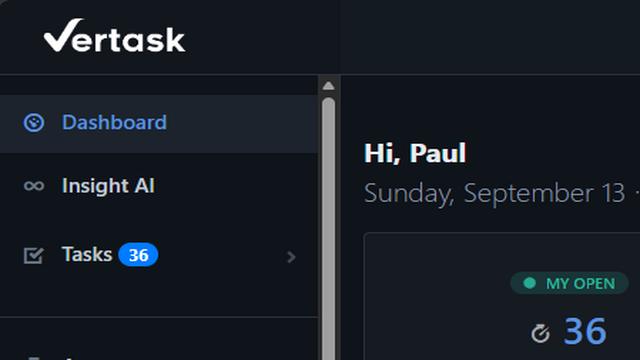
Vertask now has a dark mode.
It's one of the most requested things we've heard from teams who live in the app all day — and especially from the ones covering nights and weekends. Staring at a bright white ticket queue at 2 a.m. is nobody's idea of a good time. Now you don't have to.
Turning it on
Open your account settings and flip the Dark Mode toggle. That's it — the change applies immediately, no reload required.
Your preference is saved to your user account, not just your browser, so it follows you to whatever device you sign in from next. Log in from your laptop at the office and your phone on a service call, and both come up dark.
Dark mode is a per-user setting. Turning it on for yourself doesn't change anything for your teammates, and admins don't need to enable anything at the workspace level.
Where it applies
Dark mode covers the full Vertask experience, not just the dashboard:
- Task lists, task detail views, and the comment thread
- The kanban board, including drag states and column headers
- Knowledge base articles and the KB editor
- Assets, contracts, locations, and properties
- Reports and dashboards
- The client self-service portal — your customers can set their own preference too
The details we sweated
A good dark mode is more than inverting the colors. A few things we spent time on:
Contrast that holds up. Text, borders, and muted labels were re-tuned individually rather than flipped wholesale, so low-emphasis UI stays readable instead of disappearing into the background.
Status colors stay meaningful. Priority badges, SLA warnings, and task statuses keep their signal in dark mode. Overdue still reads as overdue at a glance.
Email stays light. Notification emails and task replies render in their normal light theme — your dark mode preference is about the app, not about what lands in someone else's inbox.
What's next
We're watching for rough edges, particularly on older knowledge base articles with inline styling and on custom-branded client portals. If you find a spot where something is hard to read or a color looks off, send us a screenshot through the helpdesk and we'll get it cleaned up.
Dark mode is available now to every Vertask account at no additional cost. Go flip the switch.